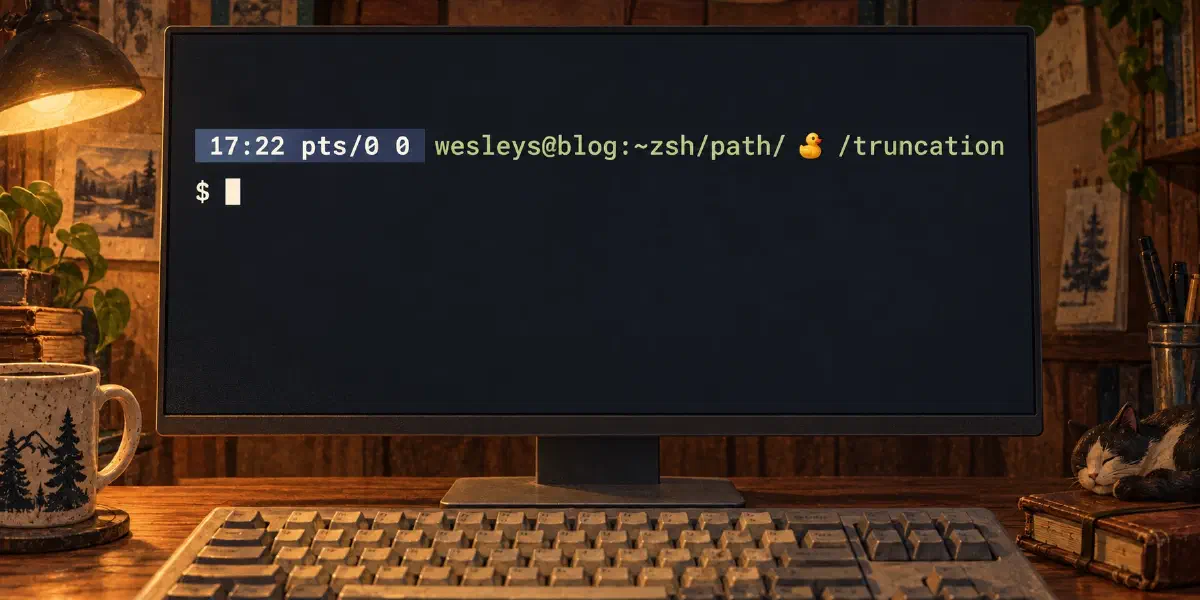
Living on the edge: truncating the path on your PS1
TL;DR
I didn’t like how the default zsh prompt truncation works. My solution, used in
my own custom-made prompt (fully supported by promptinit), uses a custom
precmd hook to dynamically determine the terminal’s available width.
Instead of blind chopping, my custom logic ensures human-readable truncation by following simple rules: it always preserves the home directory (∼) and the current directory name, only removing or shortening non-critical segments in the middle to keep the PS1 clean, contextual, and perfectly single-line. This is done via a so-called “Zig-Zag” pattern or string splitting on certain delimiters.
Introduction
PROMPT="${DATE_COLOR}%T %l %?${NONE}"

# TODO: Figure out a way to split %d into a value when it is bigger than
# the threshold. Than do array things with it. Most perfect logic would be
# to.. split the string into an array and replace /home with ~ if it exceeds
# 54 and with 59, replace ~theuser with $HOME if $USER eq theuser and else
# remove some bits, and otherwise replace $HOME with ~ and if that isn't the
# case start removing parts of the path closest to $HOME or.. somewhere in
# the middel
local DIRP="%54<..<%7d%<<"

PROMPT="$PROMPT ${HOST_COLOR}%n@%m:${DIRP}${NONE}"
For years I looked at this comment when I opened my prompt_waterkip. That one
thing that always bothered me: long paths and how it looks in your prompt. That
runaway line. Fugly.
The zsh truncation problem
Or, how I like to call it, the mundane thing of an otherwise awesome shell.
Zsh has default truncation methods for your prompt, but they are a bit meh.
You can use %<<max or %<max<, but they use hard values and they aren’t
really stripping it in a way I’d like it to be done. So I decided to write my
own.
To understand what I mean: segment is a part of a directory, e.g.,
/home/foo/bar/baz/quxhas 5 segments,home,foo,bar,baz, andqux. So when I say segments in this post, I mean part of a path.
The rules for truncation were simple:
- Allow
/home/foowhere you can - Use
~foowhere needed - Keep the first couple of segments visible
- Keep the last part of the segments visible
- Everything in the middle is fair game
- Try to preserve as much context as needed.
The 🦆 prompt
So what do I do? In the pre-command we look at how long our header is. We use
print -P to actually expand the prompt so we can determine the length. Zsh
has a beautiful COLUMNS variable that tells you how long your terminal is, or
the width, I think I mean width. It’s X long or wide, depending on how you look
at it. One minor glitch, the exit code, it seems to be always 0 in this test
and it can potentially be in the 100’s, so we account for that and remove 2
extra chars. Such is life.
_prompt_waterkip_precmd() {
setopt localoptions no_auto_name_dirs
setopt localoptions no_glob_subst
local header='%T %l %? %n@%m:'
header=$(print -P $header)
header=${#header}
# An additional -2 because exit codes be we don't parse them correctly with
# print -P, so guard it as if its 123 and not 0.
local max=$(( COLUMNS - header - 2 - 2 ))
WGSP=$(print -P %d)
local count=${#WGSP}
(( $count <= $max )) && WGSP="%d" && return
WGSP=$(print -P %~)
count=${#WGSP}
(( $count <= $max )) && WGSP="%~" && return
local sep
zstyle -s ':prompt:main' promptchar sep || sep=""
local x;
x=$(truncate-directory $WGSP $sep $max) && WGSP=$x && return
# The ultimate sign of defeat, this should happen in truncate-directory
WGSP=$(truncate-string $WGSP $sep $max) && return
}So what you see here is we check if %d is within the $max and if %~ is
within the $max.
Fun fact, if you have
setopt nameddirsyou can sayfoo=/home/you/bar/bazand you cancd ~fooand it brings you to/home/you/bar/baz, but it also shows in your prompt with%~. Pretty cool.
Now when we can’t make it fit we go to our machinery, truncate-directory
and/or truncate-string.
You probably wonder what WGSP is, my initials + the P of prompt. But you may
look at it as Waterkip’s Generated Shell Prompt. Or pick any other random name,
I needed a var and WGSP was the thing I came up with. Ego much? Yeah.
It is used to hold the directory path in my prompt:
DIR_PROMPT="${DIR_PROMPT}\${WGSP}"
  PROMPT="${PROMPT} ${DIR_PROMPT}${NONE}${prompt_newline}${TERM_STRING} "
The real 🦆 deal
I wanted to drop the full code of truncate-directory here to explain it, but
the code is dense, difficult to grasp and honestly… I’d think you’d be
walking away if I did. So instead of “Show, don’t tell”, I’ll tell and don’t
show. truncate-directory does a couple of things:
- When a path contains more than 3 segments we try to maintain the outermost segments. We do this by trying to truncate the strings of a segment.
- If the size of the segments smaller than 4 we try to just truncate the whole path down the middle.
- This is the complex part. We zig-ah-zag-ah. Not like the Spice Girls, we actually mean something with it :)
Zig-Zag
So what do I mean by this? Well, we split the part into segments and we look for the middle part. After we remove a part, we check if we can modulo 2 the remaining segments to alternate the removal point. This ensures we can <zig and zag>, so we evenly distribute our removals across the left and right side of the path. It’s a small little dance and the concept looks a bit like this:
/home/blog/you/me/them/are/zsh/users/but/maybe
# becomes
/home/blog/you/me/ 🦆 /are/zsh/users/but/maybe
# next iteration
/home/blog/you/me/ 🦆 /zsh/users/but/maybe
# and so on..
/home/blog/you/ 🦆 /zsh/users/but/maybe
# and finally
/home/blog/you/ 🦆 /users/but/maybe
We go back and forth to strip away context until the moment arrives where we are within our limits.
If this ultimately fails, we fall back to a string truncation once again.
The zig zag code
#!/usr/bin/env zsh

truncate_directory() {

  local str="$1"
  local sep="$2"
  local max="$3"

  [[ -z $max ]] && warn "Please define max size" && return 1;

  local size=$#str

  declare -a segments
  segments=(${(s:/:)str})

  local segment_size=$#segments
  local last=$segments[$segment_size];

  # First, check if we can make any of the elements smaller to get a truncated
  # path. For everything more then 3 deep, we want to preserve the last
  # element and the first one too
  local i; local s; local y; local sx;
  local seps=$#sep

  local ts=$segment_size
  local te=1
  local rm;
  local diff;
  (( $segment_size > 3 )) && ts=$(( segment_size - 1 )) && te=2
  for (( i=$ts; i>=$te; i=$(( i - 1 )) ))
  do
    s=$segments[$i];
    sx=$#s;

    (( $(( sx - seps )) < 2 )) && continue
    (( $(( size - sx )) > $max )) && continue

    local diff=$(( size - max ))

    (( $diff == $sx )) && continue

    segments[$i]=$(truncate-string $s $sep $(( sx - diff )) )
    [[ ${str:0:1} != '~' ]] && new=("" $segments)

    echo ${(j:/:)segments}
    return 0;
  done

  # If this doesn't work and the size is less than 4, don't bother with looping
  # over the segments, the previous code should have caught it. Just truncate
  # the string
  (( size < 3 )) && echo $(truncate-string $str $sep $max) && return 0;

  #local mm=$(( $max / $segment_size))
  #local biggest=$(( mm *2 +1))

  #for (( i=1; i<$segment_size; i=$(( i + 1 )) ))
  #do
  #  s=$segments[$i];
  #  sx=$#s;

  #  if (($sx > $biggest))
  #  then
  #    segments[$i]=$(truncate-string $s $sep $((mm*2)))
  #    [[ ${str:0:1} != '~' ]] && segments=("" $segments)
  #    local xstr="${(j:/:)segments}"
  #    size=$#xstr
  #  fi

  #done

  # Now we are going to loop over the segments and see how we can truncate the
  # path. We start in the middle and go forth-and-back in the array to reduce
  # the items until we are <= than the max. If that happens yay
  local idx=$(( (segment_size / 2) + 1))
  local count=$size
  local sx=$segment_size
  local removed=0;
  while (( $count >= $max ))
  do

    s="${#${segments[$idx]}}"

    if (( removed == 0 ))
    then
      x=$(( s - 1 ))
    else
      x=$(( s + 1 ))
    fi

    removed=$(( removed + 1 ))
    count=$(( count - x ))

    segments[$idx]=()
    sx=$(( sx - 1 ))


    (( $(( removed % 2 )) == 0 )) && idx=$(( idx - 1 ))
    (( $idx > $((  $sx - 1 )) )) && break

  done

  # We haven't been able to truncate it, fall back to the full string
  # truncation logic
  (( $count > $max )) && echo $(truncate-string $str $sep $max) && return 0
  (( $removed == 0 )) && echo $(truncate-string $str $sep $max) && return 0

  # Here we just removed one item, which means the middle part. It should be
  # dealt with in the upper bits of the code, but alas
  if (( $removed == 1 ))
  then
    idx=$(( segment_size / 2))
    local new=(${segments[@]:0:$idx})
    local end=(${segments[@]:$idx})
    [[ ${str:0:1} != '~' ]] && new=("" $new)
    echo "${(j:/:)new}/$sep/${(j:/:)end}"
    return 0
  fi

  # When we only have one part to keep, fall back to the full string truncation
  # logic
  local keep=$(( segment_size - removed ))
  (( keep < 2 )) && echo $(truncate-string $str $sep $max) && return 0

  # Depending on the removal and the original size the middle differs
  # If the size is remainder is unequal and the remove was unequal
  local middle=$(( keep / 2))
  if (( ( $keep % 2 != 0 && $removed % 2 != 0 ) || $removed % 2 == 0 ))
  then
    middle=$(( middle + 1 ))
  fi

  local new=(${segments[@]:0:$middle})
  local end=(${segments[@]:$middle})
  [[ ${str:0:1} != '~' ]] && new=("" $new)

  echo "${(j:/:)new}/ $sep /${(j:/:)end}"
  return 0;

}

truncate_directory $@
truncate-string “Know when to fold” ‘🦆’ 5
This function is used by truncate-directory (which has a similar signature
btw). And it is used as a last resort when everything else fails.
So how does it work? It tries to split words up by delimiters, these delimiters
are similar to how you want babel to work with line breaks, split on hyphens.
But because we are working with paths, we do more than just hyphens: We split
on dots, underscores and spaces too. Perhaps I’ll add commas or even zstyle
support to add more or use less, so a user can configure specifics. Anyways,
-, _, . and , are currently break points for truncation. If we can
split a word based on these and it has 3 or more segments, we strip out the
middle.
some-thing-gotta-give
# becomes
some-🦆-give
If that doesn’t work we fall back to hardcore removing the middle parts to
preserve the outer parts. The logic is almost the same as with the zig zag in
truncate-directory, but more straight forward. Calculate how much to strip,
find the middle and remove left and right of the middle. This is done with
simple arithmetic.
somethinghere
# becomes
some🦆here
There are some weird edge cases with max being 0 or 1. It’s unlikely to ever hit this unless your terminal is the size of a chickpea.
It’s important to note that truncate-string is both used as a sign of: we
don’t know how to split it, so just do magic. And it is used to be able to
split parts in directory segments. Meaning
/home/foo/verylongthinginthemiddlehere/there may becomes
/home/foo/verylong🦆middlehere/there. Its multi-purpose, with style.
truncate string code
#!/usr/bin/env zsh

truncate_string() {

  local str="$1"
  local sep="$2"
  local max="$3"
  [[ -z $max ]] && warn "Please define max size" && return 1;

  local count=$#str

  (( $count <= $max )) && echo $str && return 0

  local seps=$#sep

  # Stupid, but yeah
  (( $seps > $max )) && warn "Seperator exceeds the max size!" && return 1

  max=$(( max - seps ))

  if (( $max == 0 ))
  then
    # This means we truncate the word to the seperator, seems useless, except
    # for when you do this as a path segment, where foobar becomes the
    # seperator
    echo $sep
    return 0
  fi

  if (( $max == 1 ))
  then
    # This is an edge case where the word is truncated to the last letter of
    # the word.
    # If we change logic here we need to look into how it plays out with
    # truncate-directory. It currently expects us to do our thing, always
    # return 1
  fi

  local i; local trunc;
  for i in - _ " " "."
  do
    trunc=$(truncate_string_sep $str $i $sep)
    if [[ -n $trunc ]] && [[ $#trunc -le $max ]]
    then
      echo $trunc
      return;
    fi
  done

  local rm=$(( max / 2 ))
  local cpy=${str:0:$rm}
  (( $((rm * 2)) < $max )) && rm=$((rm +1))

  echo "$cpy$sep${str:$((rm * -1))}"
}

truncate_string_sep() {
  local str="$1"
  local split="$2"
  local sep="$3"

  local segments=(${(ps:$split:)str})
  local x=$#segments;
  if (($x > 2 ))
  then
    echo "$segments[1]$sep$segments[$x]"
    return
  fi

}

truncate_string $@
Trying it out
Before you try it out, know that all the functions are autoloaded and precompiled. I tried to make it as fast as possible in the slowest manner ;)
If you want to try it out, you need to visit my dotfiles on gitlab:
And you’ll want to look at my prompt_waterkip_setup
See also
For more resources about prompt themes and how to expand your PS1 read here:
- Prompt themes
- Source code of promptinit
- Prompt expansions
- What’s the difference between zsh based themes and terminal based themes?
Dotty
I have a blogpost about my dotfiles, Dotty as I’d like to call them. You may want to read about them.